
General
Building a Scalable Work Operating PlatformReady
What worked at $5M breaks at $15M. Build an operating platform that scales with you — structure, systems, and decision rights that grow sustainably.
Systems
Five critical systems every growing business needs to scale: transactions, knowledge, communication, execution, and storage. Reduce coordination overhead.
When your business hits rapid growth, something unexpected happens. The systems that once made you efficient start to break down. Most leaders think a larger company is just a bigger version of a smaller one. They’re wrong, and this misconception is costing them dearly.
Let me introduce you to a fascinating paradox: Metcalfe’s Law in reverse. While this law typically explains why networks become more valuable with more connections, in business scaling, it reveals why your organization is slowing down.
Here’s what happens: You hire one new office manager. Simple enough, right? But now they need to coordinate with you (the leader), the warehouse team, sales representatives, procurement specialists, customer service, and accounting.
Each new hire doesn’t just add one communication line. They create exponential complexity. Companies spend between 25-45% of their time just managing information flow. That’s nearly half your productive hours spent not creating value for customers.
Before we dive into solutions, let’s be clear about what we’re solving. This isn’t just about having too many meetings or too many emails. It’s about information flow becoming your business’s bottleneck.
Think about your typical workday. How much time do you spend searching for the right document? Asking someone where to find something? Updating multiple people about the same thing? Waiting for responses to move forward?
This is the hidden tax of growth that no one talks about. Here’s the good news: it’s solvable.
After working with hundreds of growing companies, I’ve identified five critical systems that every scaling business needs. These aren’t just tools. They’re the infrastructure that makes scaling possible.
Think of this as your business’s nervous system. Every transaction, every order, every payment needs one home.
Why this matters: When transaction data lives in multiple places, you’re not running one business. You’re running three or four disconnected versions of the same business. Decisions get made on incomplete data. Teams work from different numbers. Trust erodes.
Problems it solves:
What goes wrong without it: I’ve seen companies discover they were unprofitable for six months because their spreadsheet-based system couldn’t track cost of goods sold accurately. One client thought they had strong cash flow until they realized half their invoices weren’t being collected because nobody owned the full receivables process.
When to implement: When you find yourself asking “What’s the real number?” or when different departments give different answers to the same question. When reconciling data sources takes more than an hour per week.
Tool recommendations by stage:
Early stage:
Growth stage and beyond:
The key isn’t which tool you choose. It’s eliminating the gaps between systems. Every time information has to jump between tools, you’re creating a potential breaking point.
This is where most companies drop the ball. They treat documentation as a nice-to-have instead of a scaling essential.
Why this matters: Your company’s knowledge shouldn’t live in people’s heads. When it does, every vacation becomes a crisis. Every resignation becomes a knowledge extinction event. Growth stalls because you can’t train new people fast enough.
Problems it solves:
What goes wrong without it: You become personally critical to everything. Your team can’t make decisions without you because the reasoning behind past decisions isn’t documented. You hire great people who spend their first month asking everyone “How do we do X here?” You solve the same problems repeatedly because nobody wrote down the solution.
When to implement: When you find yourself answering the same questions more than twice. When a team member leaves and you realize they were the only one who knew how something worked. When training a new hire feels like starting from zero every time.
Knowledge Management Checklist:
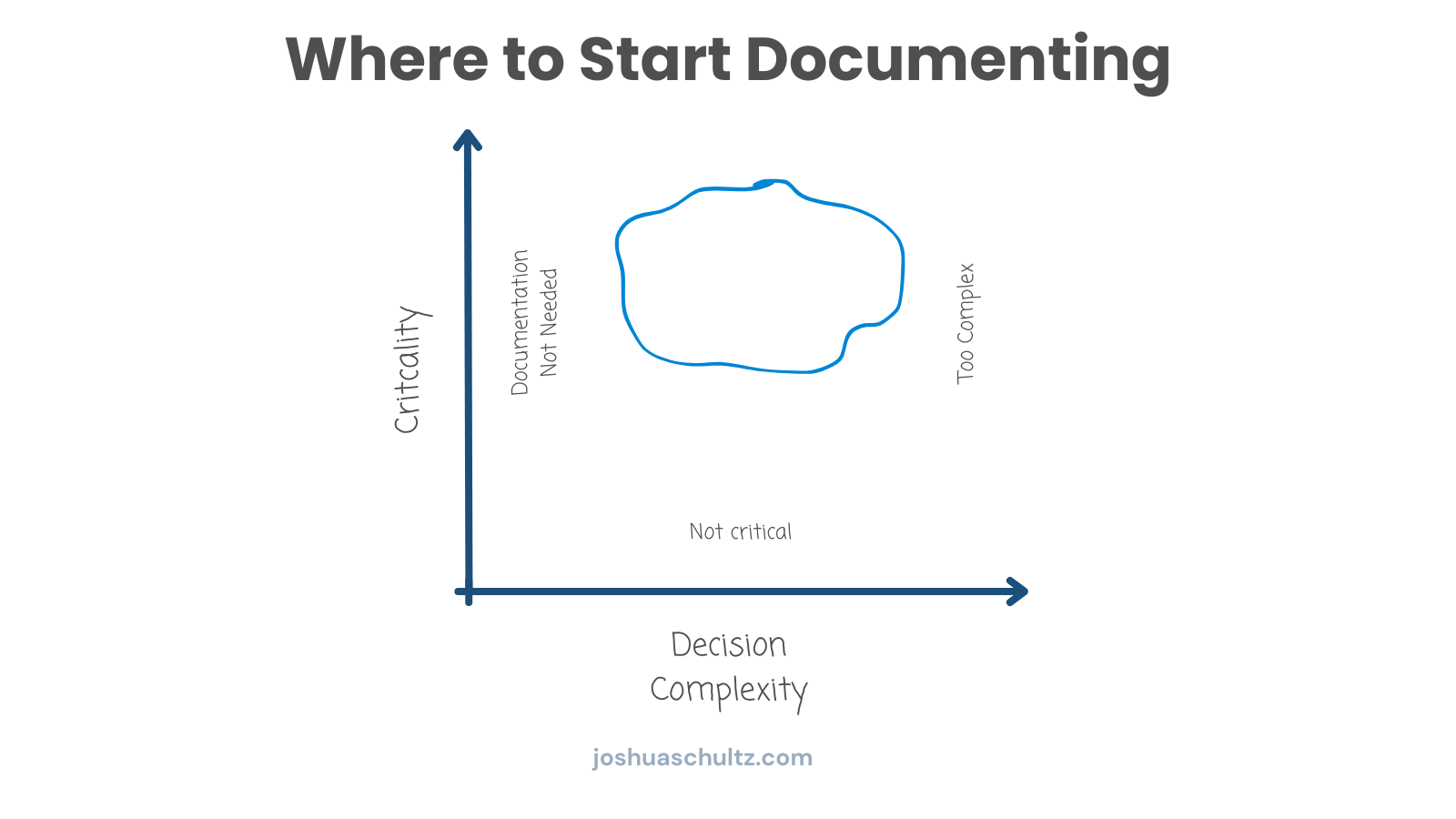
I’m a big fan of Confluence for this. Yes, tools like Notion are popular with startups, but here’s why I don’t recommend them for scaling: when a tool tries to do everything, it ends up doing nothing exceptionally well.
Communication can either be your biggest leverage point or your biggest time sink.
Why this matters: Synchronous communication (meetings, instant messaging expecting immediate response) doesn’t scale. If your default is “let’s hop on a call,” you’ll hit a ceiling where everyone’s calendar is full and nothing gets done.
Problems it solves:
What goes wrong without it: Your calendar becomes a game of Tetris. People can’t do focused work because they’re constantly interrupted. Remote team members (or even people in different offices) become second-class citizens. Critical information lives in someone’s DMs, so when they’re out, work stops.
When to implement: When your calendar is more than 50% meetings. When people say “I can’t get any real work done during the day.” When you find yourself having the same conversation three times with different people.
We use Slack, but with very specific rules:
Slack Usage Guidelines:
But here’s the crucial part - know when to break these rules. Some conversations need to be synchronous:
Your execution tool is your company’s operating system.
Why this matters: Without a shared system for tracking work, you’re running on tribal knowledge and hope. People don’t know what others are working on. Priorities aren’t clear. Dependencies create bottlenecks because nobody sees them coming.
Problems it solves:
What goes wrong without it: Projects miss deadlines and nobody knows why. People duplicate effort because they don’t know someone else is already working on it. Critical tasks get forgotten until they become fires. You can’t answer “What is the team working on?” without asking everyone individually.
When to implement: When you find yourself wondering what people are actually doing. When tasks get lost in email threads. When you can’t quickly see what’s blocked and why.
I prefer Asana because it does one thing really well - task management. Here’s how to think about task management hierarchy:
Poor file management can cripple a growing company.
Why this matters: Files are your company’s memory. Contracts, proposals, designs, analysis - if you can’t find them or if multiple versions exist, you’re operating blind. Version control isn’t just for code.
Problems it solves:
What goes wrong without it: You lose a contract negotiation because nobody can find the original terms you agreed to. Someone presents outdated analysis in a client meeting. A team member leaves and takes critical files with them. You can’t prove compliance because your documentation is scattered across drives and email attachments.
When to implement: When finding a file takes more than 60 seconds. When people regularly ask “Where is the latest version of X?” When you’re not confident you could recover your business-critical files if someone’s laptop died.
Whether you choose Dropbox, Box, or Google Drive, what matters is having clear protocols:
File Organization Best Practices:
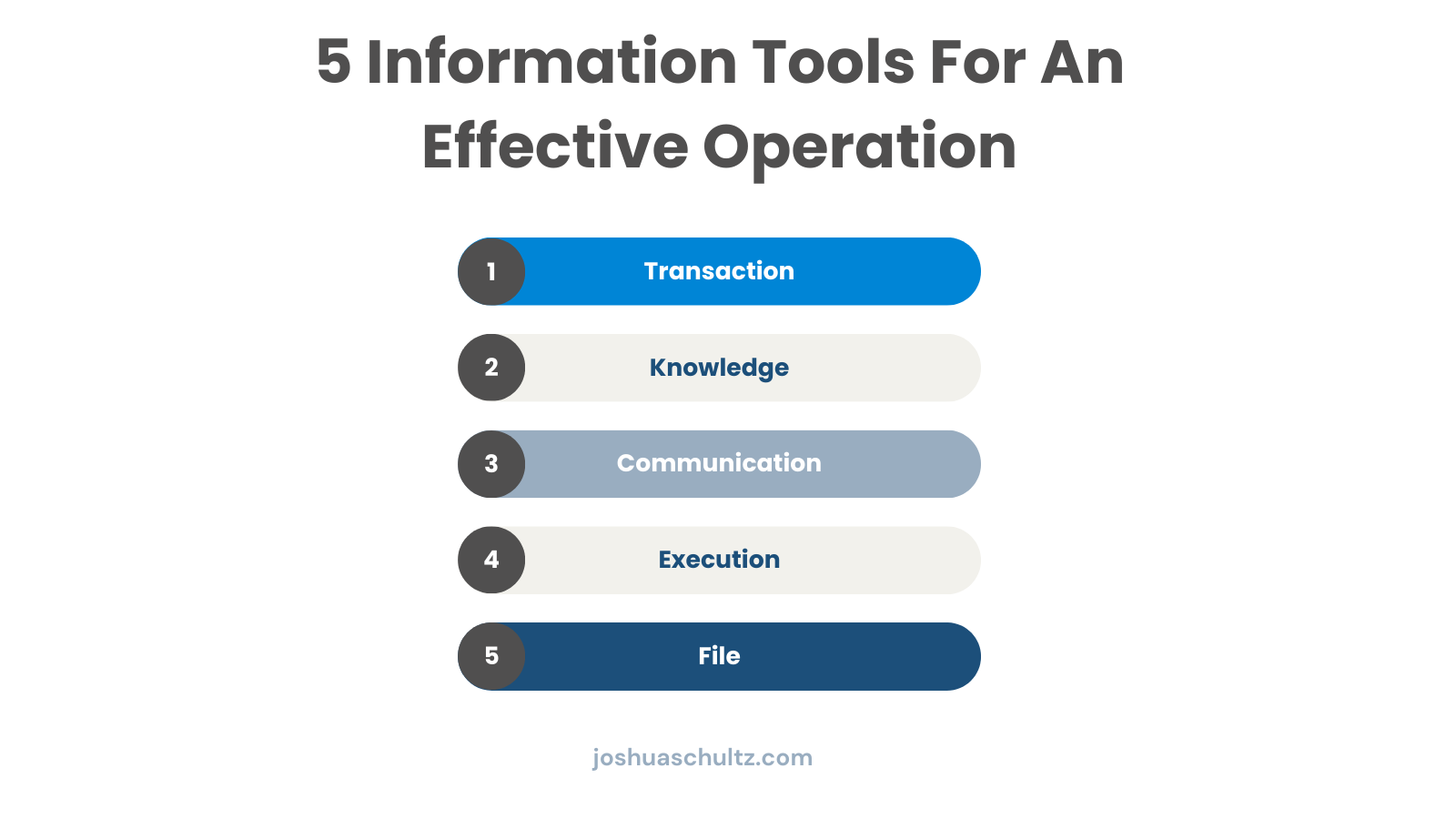
These systems aren’t separate tools. They’re parts of one ecosystem. Here’s your integration checklist:
How do you know if these systems are actually reducing friction? Track these metrics:
Efficiency Metrics:
Quality Metrics:
As you scale, you’re not just getting bigger. You’re becoming a fundamentally different organization. These five systems, when implemented thoughtfully, help you make that transition without getting bogged down in coordination overhead.
The goal isn’t just to have better tools. It’s to reduce friction in how your company operates. When someone needs information, they should know where to find it. When they need to communicate, they should know how to do it effectively. When they need to get work done, they should have clear systems for execution.
That’s how you beat Metcalfe’s Law and scale efficiently.
Want a practical next step?
Start by mapping your current information flows. Where are the bottlenecks? Where do people spend the most time searching for information? The answers will show you exactly where to start implementing these systems for maximum impact.
What worked at $5M breaks at $15M. Build an operating platform that scales with you — structure, systems, and decision rights that grow sustainably.
Quick fixes create operational debt that compounds over time. Use these 8 questions to future-proof decisions and avoid expensive rework.